What each hull earns and owes
Know it today, without waiting for month end.
NethuneX keeps one operational record for the whole fleet, from the voyage plan to the crew list to the emissions position. The ship reports once, and the office reads that report in the voyage, fuel and CII screens.
Know it today, without waiting for month end.
See every overdue job, expiring certificate and detainable finding before an inspector does.
Run it from the next stem to the claim before its time bar.
The voyage as it is going. Position, port calls, the laytime clock and the claim, with the P&L reading from the same records.
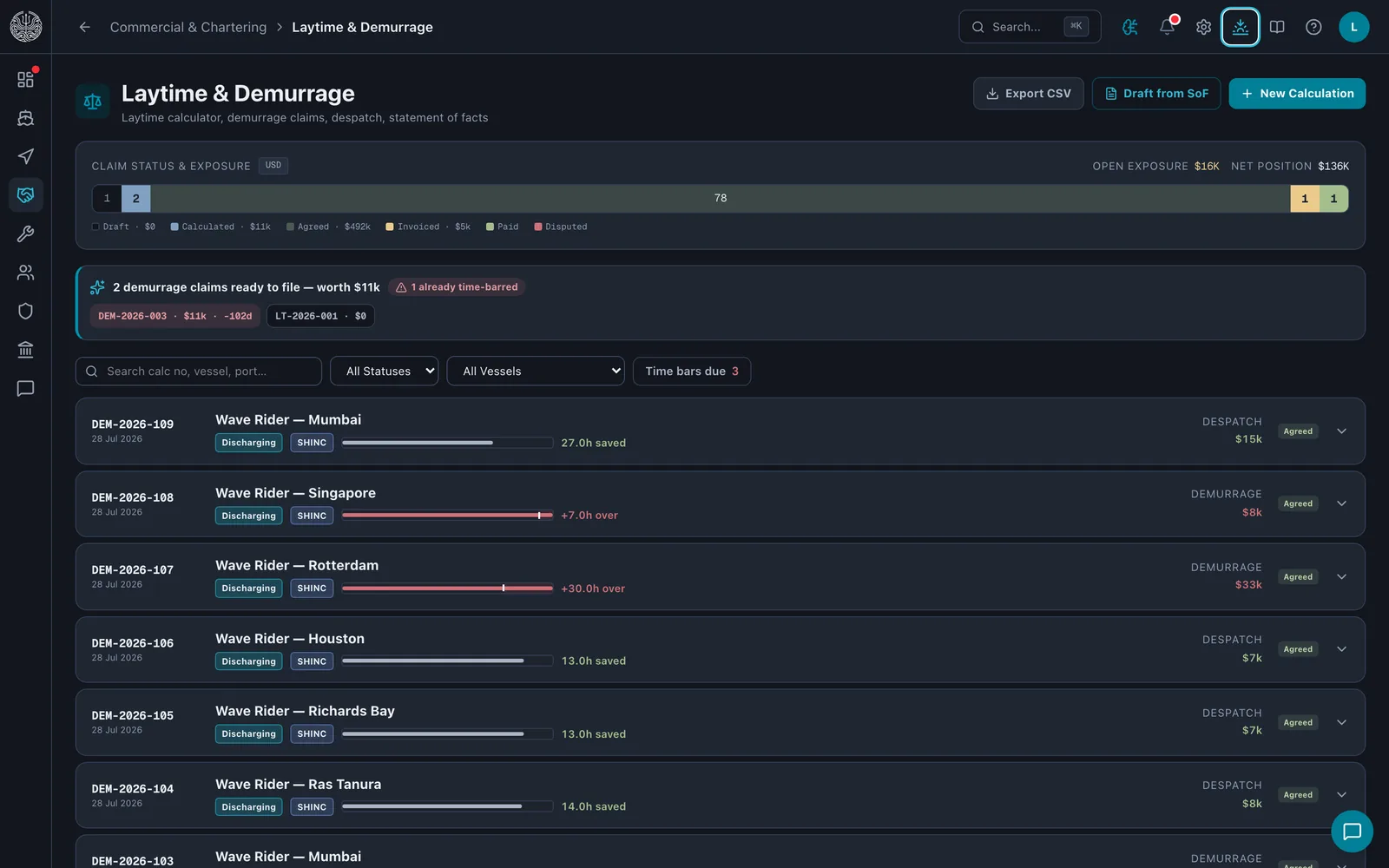
Laytime
The laytime clock is worked out from the statement of facts. Gross time from commenced to completed, less every period that does not count, such as rain or waiting for a berth.
Time bar
Enter the charter party's time-bar days and every claim carries its deadline, counted from laytime completed. The list ranks what is ready to file and which claim bars first.
TCE
The estimate and the actual voyage result use one TCE formula, so the two compare like for like. Net freight less bunkers, port costs and canal dues, divided by voyage days.
Who is on board, how much they have rested, when they were last paid, and which of the ship's certificates expire next. One list per question, across the fleet.
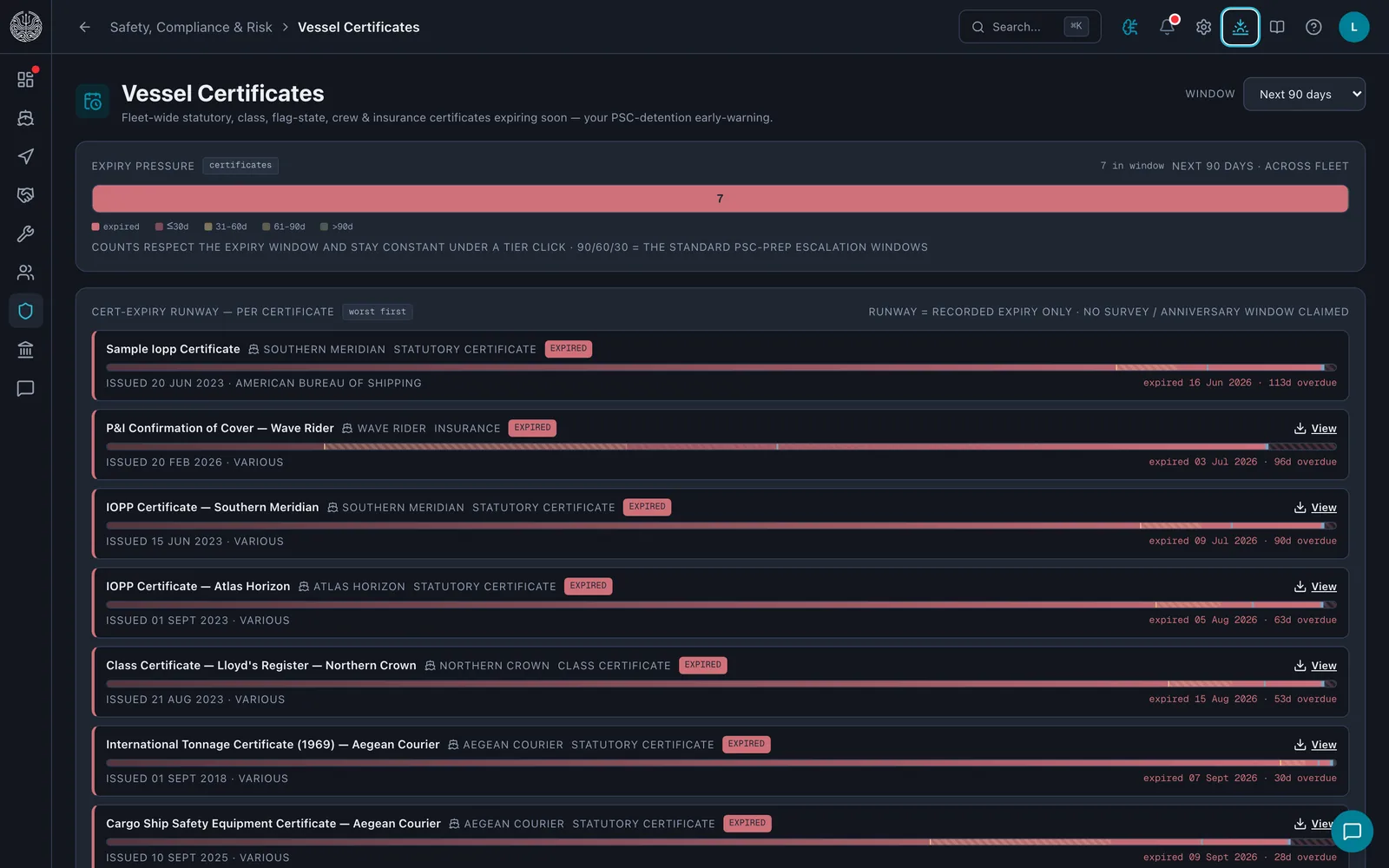
Certificates
Expiries fall into the 90, 60 and 30-day windows. Inside 30 days a certificate reads as a Port State Control detention risk.
Rest hours
Rest records are checked against the STCW and MLC rules. At least 10 hours in any rolling 24 and 77 in any rolling 7 days; and each day's rest in no more than two periods, one of them at least 6 hours.
Wages
MLC A2.2 requires wages at intervals no longer than a month. The payroll board shows each vessel month by month, so a month with no pay run shows as a gap.
Jobs, equipment, defects and spares on one register per vessel, with the fleet view the office needs over the top.
Templates
A maintenance template applies to the equipment you select on any vessel. One work order per unit, on a calendar interval or on running hours.
QR stickers
The equipment register prints an A4 sheet of QR stickers, 21 to a page. Each code is a plain web address that opens the unit on a signed-in phone, and the crew's defect form scans it to attach the unit to the report.
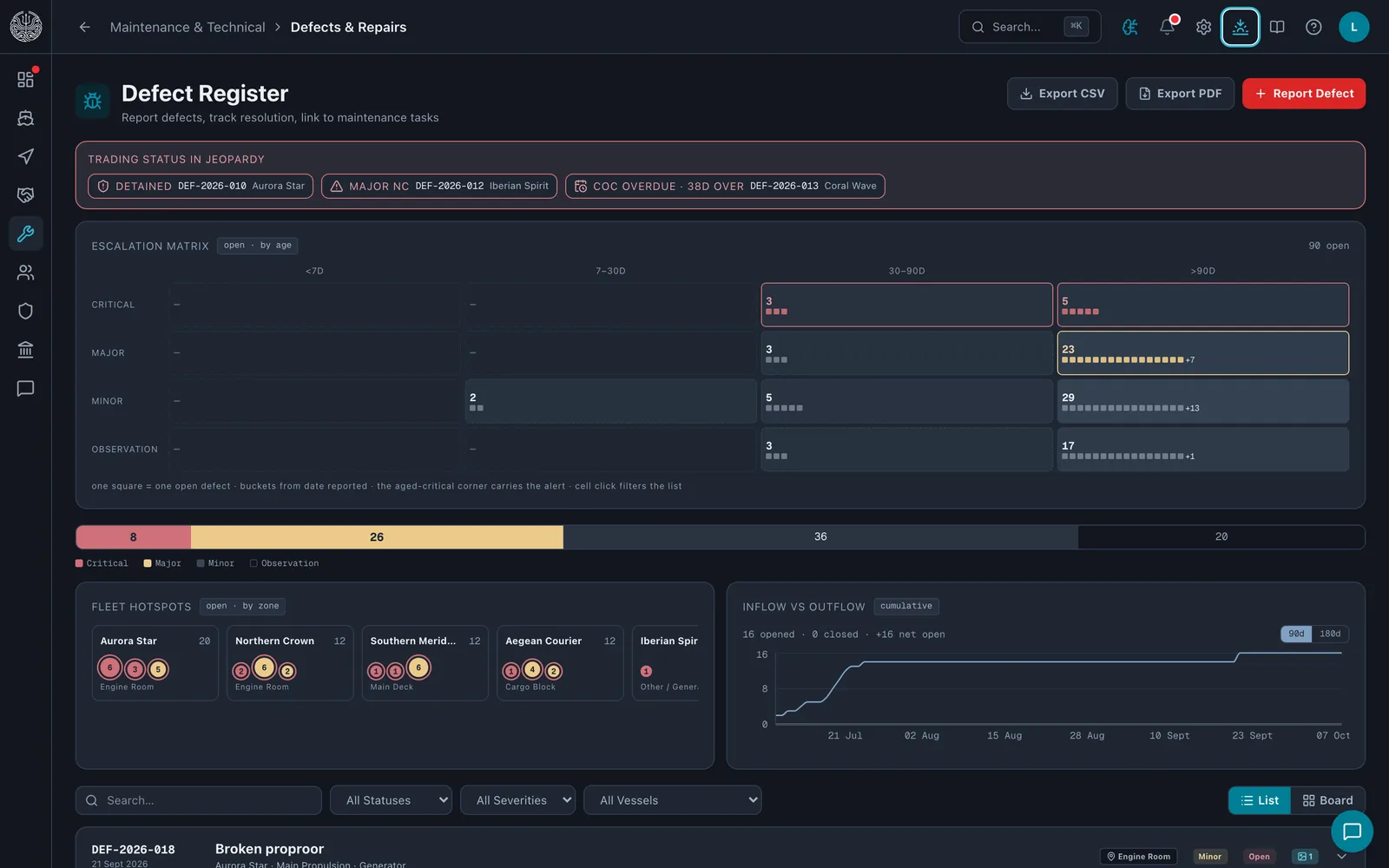
Defects
Open defects sit on a severity-by-age matrix, Critical to Observation against under 7 days to over 90. A defect raised from the crew phone carries up to six photos and waits for signal if there is none.
What is in the tanks, when the next stem must arrive, what the suppliers quoted and whether the delivery note matches the ship's figure. Stems and enquiries on one desk.
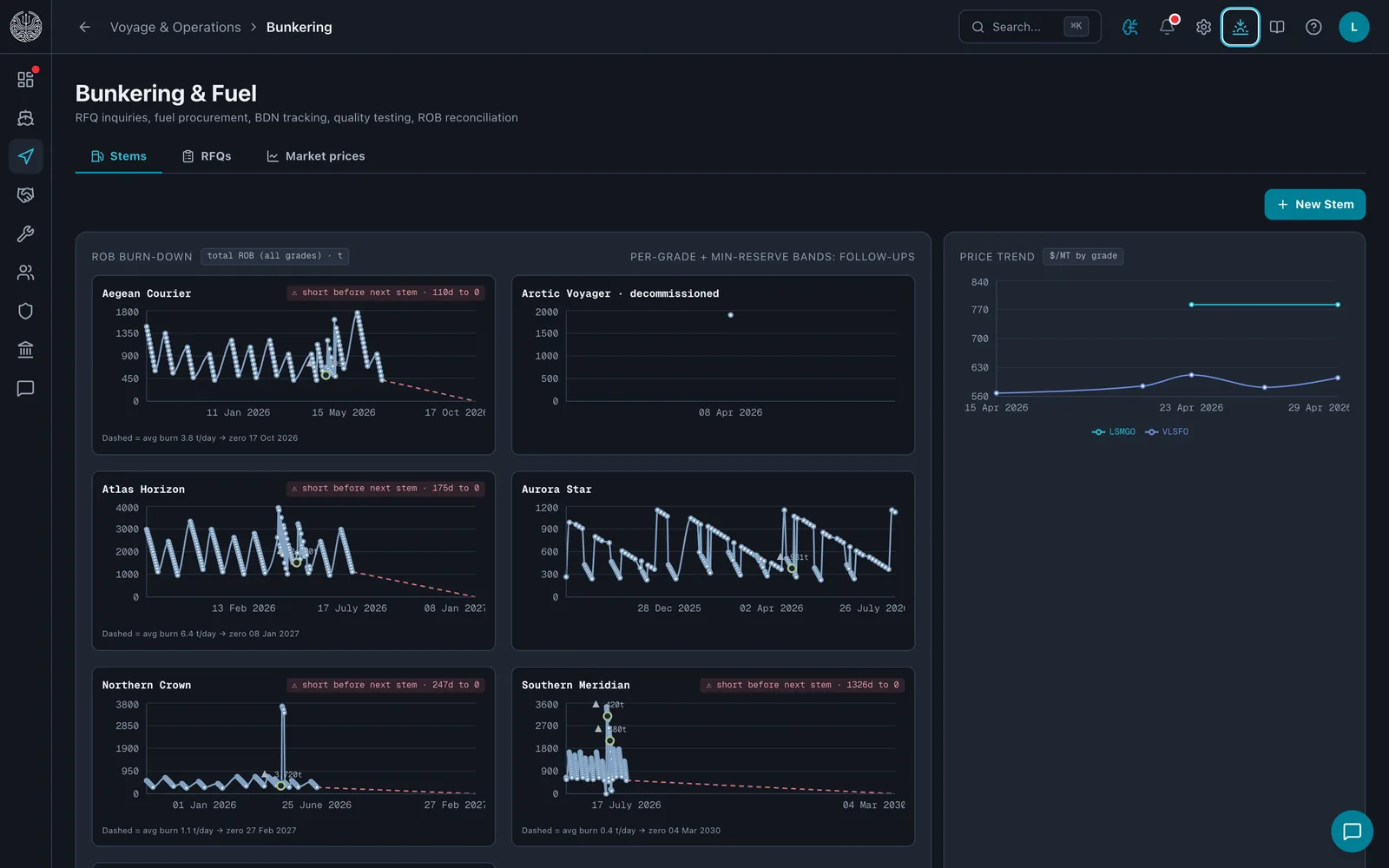
ROB
Remaining on board is drawn per vessel from the noon reports, with delivered stems as steps up and a dashed line at the average daily burn. If the line reaches zero before the next stem, the vessel is flagged short.
Enquiries
An enquiry goes to your suppliers by email. Each reply is pasted in and read into the quote form for you to confirm, then compared grade by grade on one board. A best price is only marked for a grade that two or more suppliers have priced.
Delivery note
The ship's measured figure is compared with the delivery note per grade. Anything beyond a 0.5% tolerance is flagged and priced, and a notice of protest is drafted for the operator to review.
The CII ladder, the EU ETS allowance position with its surrender runway, FuelEU pooling and UK ETS, computed per voyage for every hull.
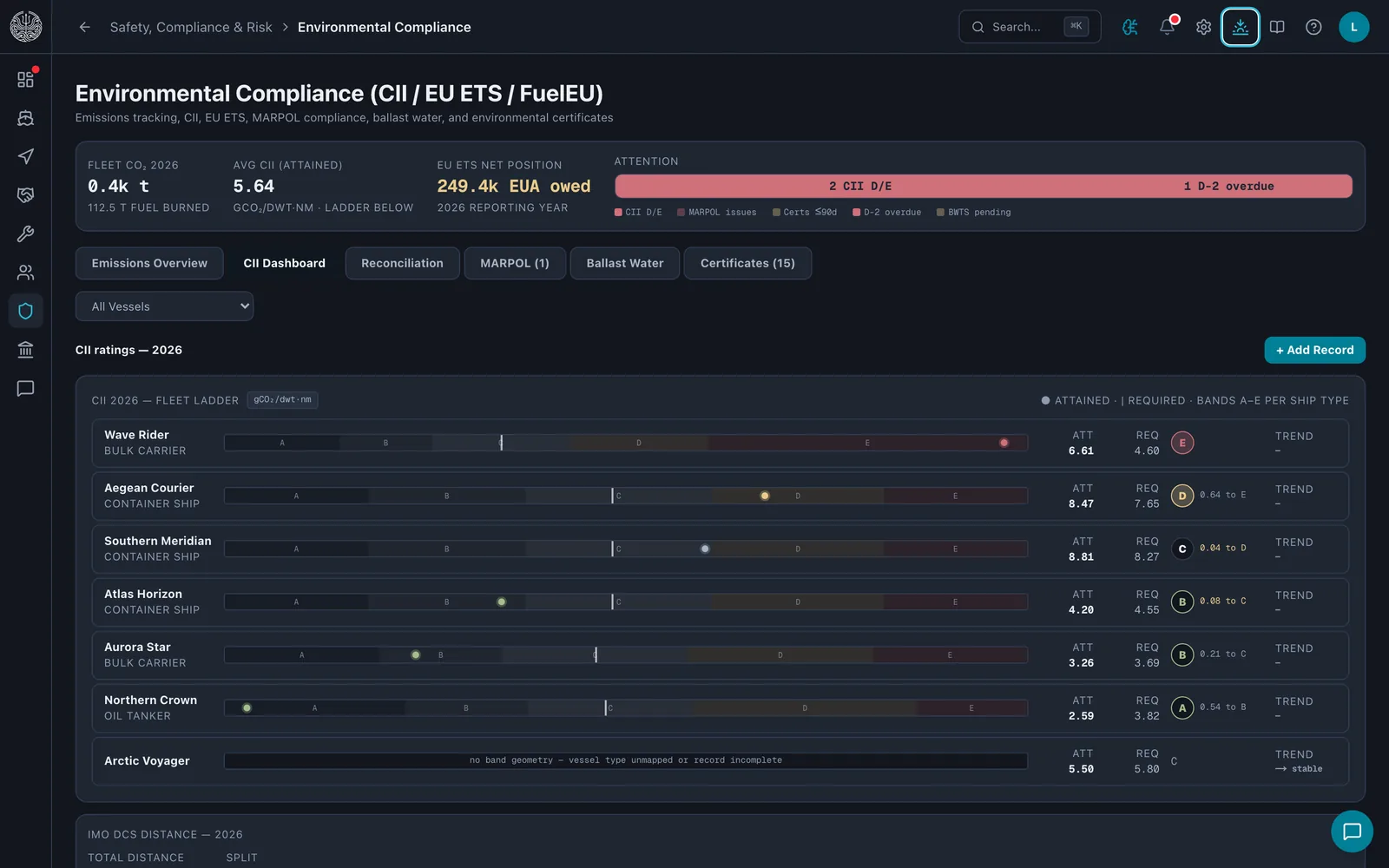
Four regimes
CII, EU ETS, FuelEU and UK ETS are each computed per voyage. EU ETS uses the AR5 warming factors and FuelEU the AR4 ones, and the engine never mixes the two on one report.
Two sources
CII reads the noon reports. EU ETS and FuelEU read the verified MRV voyage dataset. A reconciliation view sets the two side by side per vessel and year and flags drift beyond tolerance before a statement goes out.
FuelEU
A FuelEU deficit costs €2,400 per tonne of VLSFO-equivalent. The pooling screen works out, under Article 21, whether pooling your own vessels, buying surplus from an external pool or paying the penalty costs least.
Incidents, near misses, drills, audits and inspections in the registers an auditor asks for, and the corrective actions that close them.
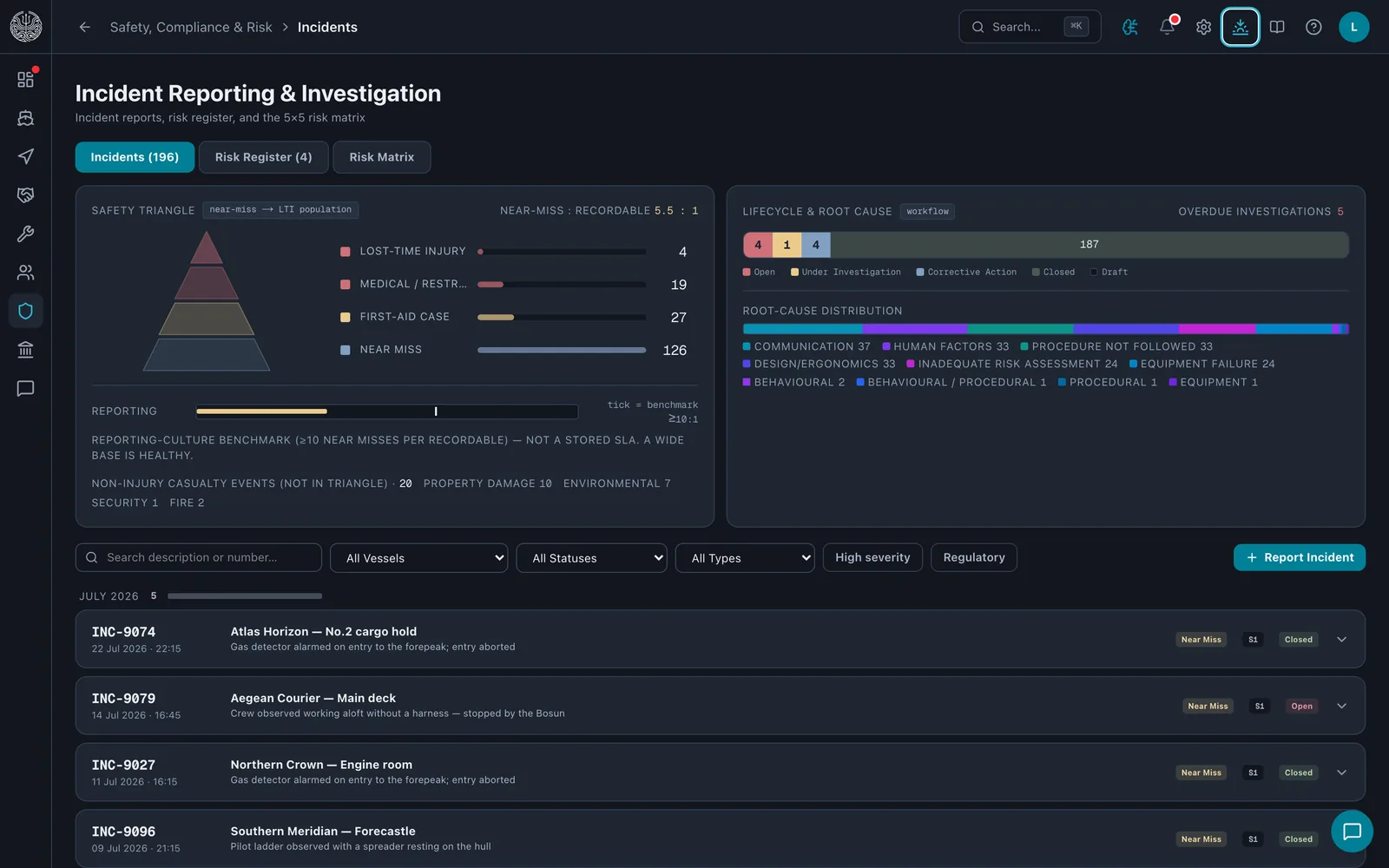
Safety triangle
Incidents sort by type into the four tiers an auditor reads first, from lost-time injury at the apex to near miss at the base. The record holds no exposure hours, so the triangle shows counts and never an invented frequency rate.
PSC
The fleet's own detention rate is read against the published Paris and Tokyo MoU annual averages as a reference tick. The screen says plainly that a small sample is not the official regime rate.
Near miss
A near-miss report can be filed anonymously. It lands in the DPA's inbox under ISM section 9, ages visibly until it is triaged, and can be escalated to an incident.
Ask your fleet sits in the top bar of every screen. Type a question about your own records and it looks the answer up, the way the person asking would, then shows where it came from.
It reads, it never writes
The assistant answers through a fixed set of look-ups over vessels, voyages, certificates, crew, defects, maintenance, bunkers and emissions. It cannot create, change, delete or send anything.
Your access, nothing more
Every look-up runs as the person asking, so the assistant sees only what they could open themselves, and a module the organisation does not use is refused rather than guessed at.
It shows its working
Each answer comes with the rows it was built from and a link to the screen they live on. Totals and regulatory figures are taken from the platform's own calculations, not worked out by the assistant.
Elsewhere, AI helps read a pasted bunker quote or fixture recap into its form, and drafts an email from a line of intent. Each time, a person checks the result and presses save or send.
NethuneX connects to the systems around it through a documented API, webhooks your endpoint can verify, and the email accounts your team already uses.
REST API
Over a hundred documented operations across vessels, voyages, crew, maintenance, safety, compliance, finance and chartering, described in a published OpenAPI file and paged by cursor.
Keys and scopes
An owner or admin creates keys in Settings. Each is shown once and stored only as a hash, carries read, write or manage scopes per area, can be revoked at any time, and reaches only its own organisation's data.
Signed webhooks
An endpoint can subscribe to records created or changed through the API, and to daily checks such as a certificate nearing expiry or a claim nearing its time bar. Every delivery is signed with HMAC-SHA256 and retried on a widening schedule.
Your own mailbox
Connect a mailbox over IMAP and SMTP. Mail arrives threaded in the email module, and enquiries and reminders go out from your own address with 30 seconds to undo. The mailbox password is encrypted at rest with AES-256-GCM.
The REST API and webhooks are an add-on module.
A spreadsheet, a shared inbox and a group chat run a lot of fleets well. Each has one gap, and the gap is where the expensive things happen.
The date sits in a column on one person's laptop. That person is on leave the month it matters, and the first to notice is the inspector.
Vessel Certificates puts every certificate on a runway to its expiry, in the 90, 60 and 30-day windows, on one fleet-wide list.
Once by the master into the email, once by the operator into the voyage sheet, and once more by whoever does the emissions return. Three copies, three chances to differ.
Noon Reports takes it once. The voyage view, the fuel burn-down and the CII ladder read the same row.
The photo gets forty replies and no work order. By the next port nobody can find which day it was taken.
The crew phone raises the defect, with up to six photos, into the same register the superintendent works from. If there is no signal it waits and sends later.
We read the request the same working day and book a 30-minute call about your vessels. After it we build the workspace with you, from your own vessel, crew and certificate lists.
Vessels, crew, certificates, equipment, maintenance jobs, spare parts and cost entries load from spreadsheet templates, each previewed row by row before anything is saved.
Tell us about the vessels and we'll walk you through the screens that matter to you.